Quick Note sticky note widget download for android 11 (Red Velvet Cake)
APK file Quick Note 3.1.1 compatible with Android 11How to install APK / APKS / OBB file on Android
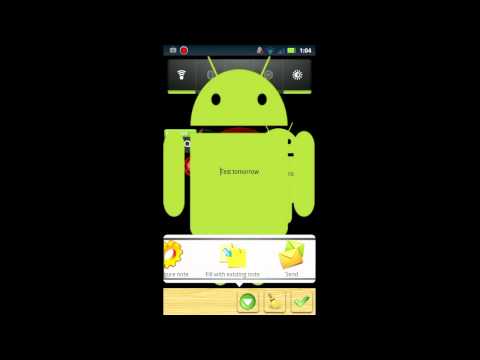

Add as many notes as you want to your mobile phone or tablet desktop. It's fast and easy to use, just focus on what you want to write. Choose between several sizes and lots of different colors and shapes so it can be easier to remember your ideas.
Other nice features:
- Copy, cut and paste notes
- Change the text color
- Create notes using and existing one as a template
- 15 colors and shapes (30 in PRO version)
- Send your notes by SMS, email or even to your Dropbox :)
- Backup your notes by sending them to your email
- 3 font sizes: Small, Medium and Large (4 in PRO version)
- 9 different widget sizes
- Add a shortcut in the notification bar to access quickly to all your notes
- Automatic backup with restore points + backup preview
Exclusive PRO features:
* 15 exclusive designs including paper, Android or transparent notes
* Multi-page notes --> Use only one note to keep everything ;)
* XL font size
* Add tags to your notes
* Send your notes to Evernote (if installed) with just one click
* Create notes at any time from the notification bar -> Very useful to write down your ideas while using other apps like the internet browser :)
The upgrade to obtain the new features is made as an in-app purchase. No need to install a new application :)
We are glad to receive your feedback! If you feel you need to rate us anything below 5 stars, please email us to give us a chance to resolve your issues and to provide you with assistance: support(#)movinapp.com
FAQ:
Q: When I try to create a note, I can only see a color selection screen. How to continue?
A: When creating a new note, in the note color selection screen, scroll down until seeing a button with a green "OK" symbol. Sometimes, in smaller screens, having so many options will hide it.
Q: How do I add a widget to the homescreen?
A: Once installed, go to your Android home screen/desktop, then, press for 2 or 3 seconds on any empty space. You will then notice the "Widgets" option. Click on it and select "Quick Note". You can choose between several widget sizes.
Q: How can I backup my notes?
A: Select any note -> Menu -> Backup
Q: Why is it not possible to move the app to the SD card?
A: Applications that make use of home screen widgets cannot be moved to the SD card. If the SD card is unmounted, the widgets will stop working.
Q: I have purchased the PRO version but I need to install the application again. I am going to pay for it again?
A: Absolutely not. The purchase is made through the Google Play application which will "remember" all the purchases made using your account. Just press the "Get PRO" button to activate it again :)
28827c709e
- LicenseFree
- File nameQuick Note
- File Version3.1.1
- Package namecom.movinapp.quicknote
- Size8.36 MB
- UploadedOctober 14, 2018
- Android4.1 or later
- CategoryProductivity
- DeveloperOpus 8
- Developer site
- Developer emailsupport.android@movinapp.com
- md5 hashaa1879a326d4aff7271f6effb786abd4
- Architecture-
- Permissionsshow (6)